VP Speed - JavaScript: defer & delay
JavaScript is the other half of render performance. Scripts that load in the page head block the browser from painting until they finish. VP Speed offers two levels of control: deferring external scripts (Free) and delaying them until the visitor interacts (Pro). This article explains both and the safeguards that keep your site working.
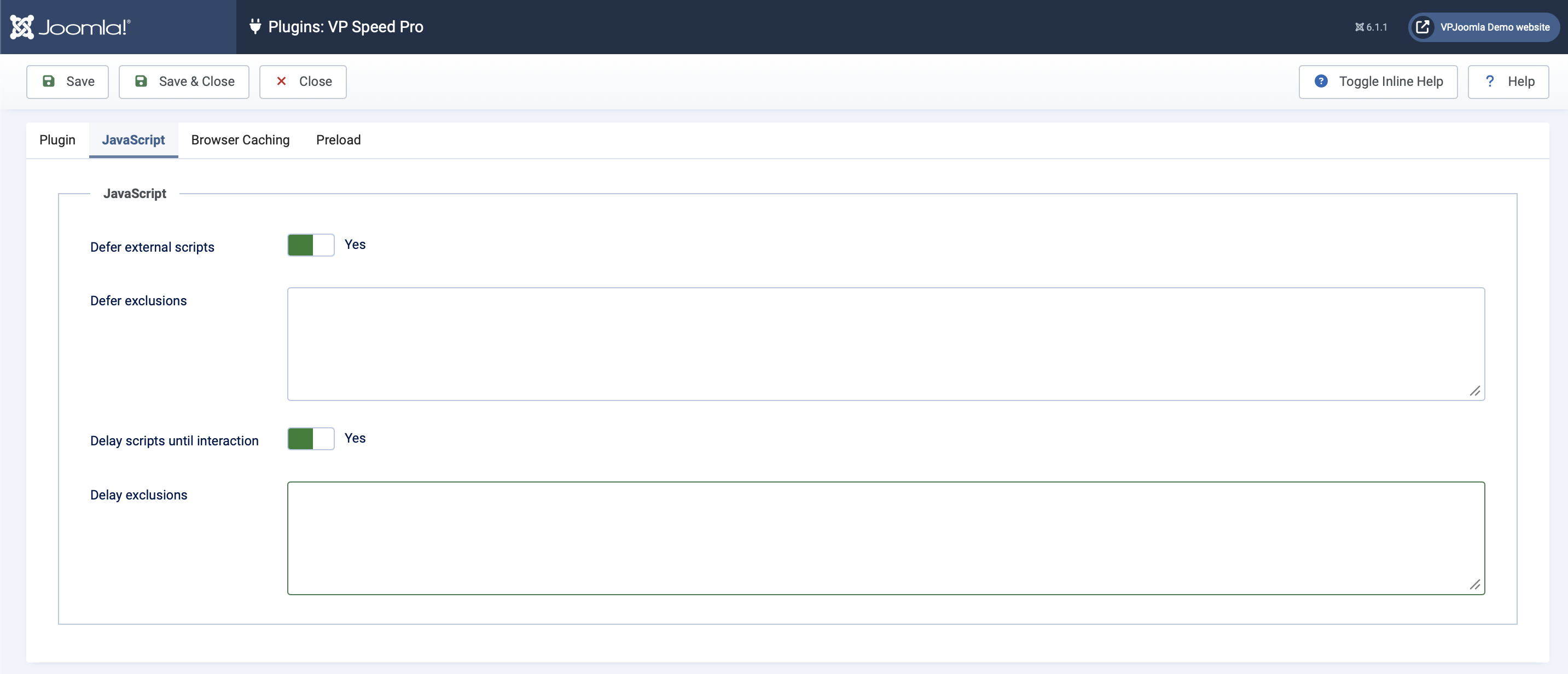
Defer external scripts
The Defer external scripts switch adds the defer attribute to external scripts. A deferred script still downloads, but it no longer blocks HTML parsing — it runs after the page has been parsed. This is a safe, broadly compatible optimization and the right first step for most sites.
VP Speed skips scripts that should not be deferred: those already marked defer or async, ES modules (type="module"), JSON and importmap blocks, and anything matching your exclusion list. jQuery is excluded by default.
Defer exclusions
The Defer exclusions field takes one pattern per line — each is matched as a substring of the script URL. If a deferred script causes an ordering problem (for example, an inline script that expects a library to already be present), add part of its URL here to leave it untouched.
You can also exclude a single script directly in its markup by adding a data-no-defer attribute to the <script> tag. This is handy for one-off cases without editing the plugin settings.
Delay scripts until interaction PRO
Delay goes further than defer. A delayed script is not loaded at all until the visitor first interacts with the page — moves the mouse, scrolls, taps or presses a key. There is also a 7-second fallback, so scripts always run even without interaction.
This is the single biggest PageSpeed win for third-party scripts. Analytics, chat widgets, advertising pixels and social embeds rarely need to run before the visitor does anything, yet they often dominate the main thread during the critical first moments. Delaying them moves that cost out of your Largest Contentful Paint and Total Blocking Time.
Delay exclusions and protected scripts
The Delay exclusions field works like the defer one — one URL substring per line. On top of your list, VP Speed protects a set of scripts from delay by default, because delaying them would break the page:
- jQuery — many scripts assume it is already available.
- Joomla core (
core.min.js) — providesJoomla.getOptions()and other APIs that inline scripts call immediately. - WebAuthn login — the passkey login button must work on the very first click, including on touchscreens where the first tap is also the interaction trigger.
- ES modules and importmaps — these are never delayed; doing so would break module resolution.
As with defer, you can opt a single script out in its markup with a data-no-delay attribute.
Delay is powerful but more aggressive than defer. After enabling it, test the interactive parts of your site — menus, sliders, forms, login, anything that runs on load — to confirm they still behave correctly. If something only works after you move the mouse, add it to the delay exclusions.
"My scripts disappeared from PageSpeed — is something broken?"
This is the most common question about delay, and the answer is reassuring: nothing is broken — that is the feature working exactly as intended.
PageSpeed Insights and similar tools load the page with an automated browser that never moves the mouse, scrolls or taps. Because delayed scripts only load on interaction, they are simply never requested during the test, so they vanish from the report. Real visitors, who do interact, get every script on their first touch (or after the 7-second fallback). The scripts run; the test bot just doesn't trigger them — which is precisely why your scores improve.
To confirm delayed scripts still work for real users, open your site, move the mouse or scroll, and watch the network panel — the delayed scripts load at that moment. They are there; they were only waiting for a visitor.
Next step
With CSS and JavaScript optimized, the remaining articles cover the Pro conveniences: customizing Bootstrap's own variables, serving icons locally, preloading resources and browser caching. The next article is the Bootstrap Customizer.